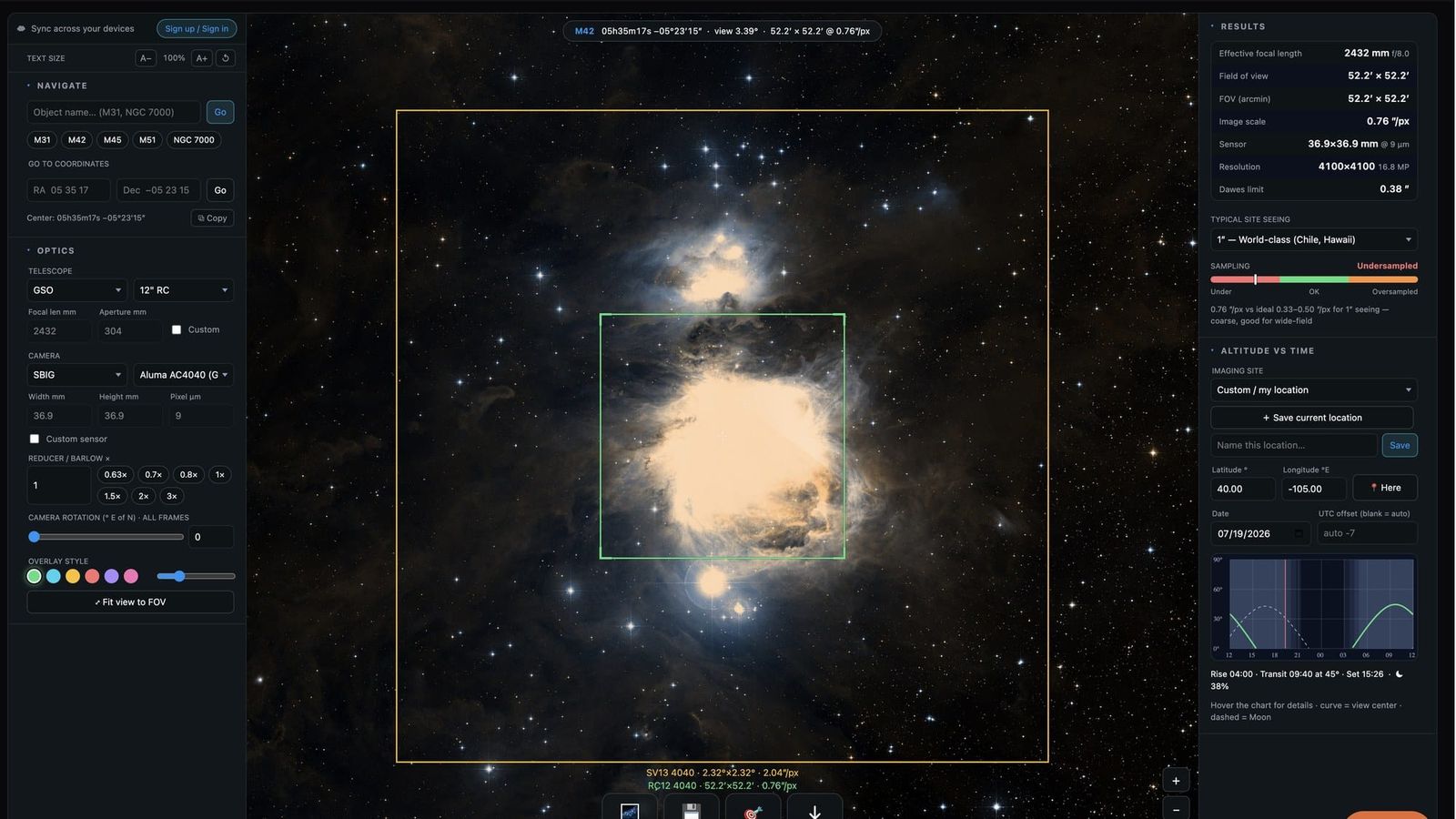
We just shipped the most-requested upgrade to our Telescope Field of View Calculator: a free account that carries your gear with you.
Until now, everything you saved in the calculator — your telescope and camera combinations, your target lists, your imaging sites — lived in one browser on one machine. Plan a mosaic on the laptop, walk over to the observatory PC, and you started from scratch. That's over.
What syncs
Sign in once on each device and the calculator keeps these in step everywhere:
- Saved setups — every telescope + camera + reducer combination you've saved, with their overlay colors, ready to compare on the sky
- Target lists — the objects you're planning to image this season
- Imaging sites — your saved locations, so the altitude-vs-time chart is always computed for the right horizon
- Preferences — your typical seeing and even the text-size setting
Save a setup on your phone during lunch; it's waiting on the desktop when you sit down to plan. Load a saved rig on any device and the sky view frames it instantly — and if you have saved gear, the calculator now opens with your equipment, not a default.
How to start
- Open the FOV calculator.
- Click Sign up / Sign in at the top of the left panel.
- Enter your email — we send a magic link, no password to invent or forget.
- Repeat on your other devices with the same email. Done.
Everything you had saved locally stays put — on your first sign-in it's merged into your account, nothing is lost.
Free, and yours
Accounts are free. Your data lives on our own infrastructure — no third-party identity provider, no analytics company in the middle — and it's used for exactly one thing: keeping your planning in sync. Signing up also subscribes you to our occasional newsletter, where we announce new tools like this one; you can turn that off in your account with one click.
Clear skies — and if the sync saves you a fumbling session at the scope, we'd love to hear about it. Reply to any newsletter or use the contact page.