

Quick answer: Camera binning combines a block of adjacent sensor pixels — usually 2×2 — into one larger "superpixel" that collects more light. It raises the signal-to-noise ratio and speeds downloads, but halves resolution and doubles your pixel scale. On old CCD chips binning happened on-chip for a real read-noise saving; on today's low-noise CMOS sensors you can usually bin later in software instead.
This guide is written for imagers already comfortable with pixel scale, focal length and read noise. If you are just getting started, our astrophotography fundamentals and pixel scale explainers are the better first stops — then come back here.
What Is Camera Binning?
Camera binning is the practice of merging a small block of neighbouring pixels into a single, larger effective pixel. The most common mode is 2×2 binning, where a two-by-two square of four pixels is treated as one; you will also see 3×3 and 4×4 on guide cameras and planetary rigs. The unbinned, full-resolution mode is written 1×1.
The trade is simple to state and easy to get wrong in practice. A binned superpixel gathers the light of every pixel it swallows, so its signal climbs — a 2×2 bin pools four pixels' worth of photons. In exchange, your image now contains one-quarter as many pixels, so fine detail drops. Binning buys you a cleaner, brighter frame at the cost of resolution. Whether that is a bargain or a blunder depends entirely on your optics, your sensor and your sky.
Across dozens of nights running our remote rig at Deepsky Chile, we have found binning is one of the most misunderstood settings in the capture software — partly because the word means two genuinely different things on the two big sensor technologies. Getting the distinction right is the whole game.
For a visual companion, this explainer from Cuiv, The Lazy Geek walks through exactly how binning behaves on a camera sensor:
Hardware vs Software Binning (CCD vs CMOS)
Here is the single most important idea on this page: binning does not work the same way on a CCD as it does on a modern CMOS camera. The difference is when the pixels are combined — before or after they are read out and digitised — and that timing decides whether you actually beat read noise.
How CCD (hardware) binning works
On a classic CCD, binning is a genuine on-chip, analogue operation. The charge from all four pixels in a 2×2 block is physically shifted together and combined before it reaches the single read-out amplifier. The sensor then reads that pooled charge once. The result: roughly four times the signal, but only one dose of read noise instead of four.
That is a real, hardware-level win. Because read noise is added only once for the whole superpixel, the signal-to-noise ratio genuinely jumps — Atik quotes a 2×2 CCD bin turning a signal of 12 electrons against 3 electrons of read noise into a 4:1 ratio. For the faint, read-noise-limited exposures that CCDs historically struggled with, on-chip binning was a lifesaver.
Why CMOS "binning" is different
CMOS sensors — which is almost certainly what you are imaging with today — read and digitise every pixel individually. By the time any binning happens, each of the four pixels has already picked up its own read noise. Summing them adds the signal cleanly (four pixels → 4× signal), but the read noise adds in quadrature: four noise sources combine to roughly √4 = 2× the noise, not 4×.
So a 2×2 CMOS bin gives you about 4× signal against 2× read noise — a real SNR improvement, but only about half the benefit a CCD gets from the same bin. Crucially, this is exactly the same maths you would get by summing those pixels yourself on the computer afterward. On CMOS, "binning" is essentially arithmetic, whether the camera does it on download or you do it in post-processing.
The saving grace is that modern CMOS read noise is tiny — often 1–3 electrons, versus a CCD's 7–10 or more. When read noise is that low, the penalty for adding it four times instead of once is almost negligible, which is why a well-exposed CMOS image usually ends up cleaner than a CCD in the first place. It also means the historic reason to hardware-bin has largely evaporated. For a deeper look at how efficiently a sensor turns photons into signal, see our explainer on quantum efficiency in astronomy cameras.
| CCD (hardware / analogue bin) | CMOS (software / digital bin) | |
|---|---|---|
| When pixels combine | On-chip, before read-out | After each pixel is digitised |
| Signal (2×2) | ~4× | ~4× |
| Read noise (2×2) | ~1× (added once) | ~2× (adds in quadrature) |
| Net SNR gain | Large | Modest |
| Same as binning in post? | No — can't be replicated later | Yes — identical to post-bin |
| Still relevant in 2026? | Legacy chips only | Situational; often bin in post instead |
What Binning Does to Your Image
Beyond the read-noise story, binning changes several concrete properties of every frame. Keep these in mind before you flip the setting.
Signal-to-noise ratio
The headline benefit. By pooling photons into fewer, deeper wells, each superpixel carries a stronger signal relative to noise. On faint, low-surface-brightness targets — dim outer galaxy arms, wispy nebulosity — a brighter, smoother frame can be worth more than pixel-level sharpness you were never going to record through the atmosphere anyway.
Resolution and pixel scale
Binning 2×2 doubles your pixel scale (arcseconds per pixel) and quarters the megapixel count. A camera that resolves 0.5″/px at 1×1 resolves 1.0″/px binned 2×2. That sounds like pure loss, but if your rig was oversampled to begin with, you were recording empty resolution that the seeing had already smeared away — and binning simply reclaims the SNR you were spending on it.
Read noise and full well
On a CCD, binning lowers the effective read-noise cost per unit signal and raises the effective full-well capacity of the superpixel — handy for bright stars. On CMOS the full-well behaviour depends on whether the camera sums or averages the binned pixels; summing can clip highlights sooner, averaging preserves dynamic range but does not add signal the same way. Always know which your capture software is doing.
Field of view, file size and speed
Binning does not change your field of view — you are covering the same sky with fewer, larger pixels. It does shrink each file to about a quarter of the size and speeds up download and frame rate, which is why binning is a favourite for live-view framing, focusing and guiding.
When Should You Use 2×2 Binning?
The short answer: bin when you have resolution to spare and signal to gain. Here are the situations where it genuinely helps.
| Scenario | Bin? | Why |
|---|---|---|
| Oversampled rig (long focal length + small pixels, <1″/px) | Yes, 2×2 | Reclaims SNR from resolution the seeing can't deliver |
| Faint narrowband on a mono CCD | Often | On-chip binning meaningfully cuts read noise |
| LRGB colour channels on a mono camera | Yes (RGB) | The eye resolves luminance, not colour — bin chroma, keep lum at 1×1 |
| Framing, focusing and plate-solving previews | Yes | Faster, brighter previews; detail is irrelevant here |
| Guide camera | Yes, 2×2+ | More sensitivity and a faster guide loop for autoguiding |
| Well-sampled or undersampled CMOS (short refractor, big pixels) | No | You'd throw away real detail; bin in post if ever |
| Lunar and planetary high-resolution work | No | You want every pixel of resolution you can get |
Binning and Seeing: Matching Your Sampling
Binning is really a sampling tool, and sampling is set by the atmosphere as much as by your gear. Under typical seeing of 2–4 arcseconds, a pixel scale near 1–2″/px captures essentially all the detail that makes it through the air. Go far below that and you are oversampling: spreading the same photons across more pixels, thinning the signal in each without recording extra real detail.
That is precisely the case where 2×2 binning shines. If your setup lands at 0.6″/px — common with a long-focal-length SCT or RC and a small-pixel camera — binning to 1.2″/px matches the seeing far better, and your subframes come out cleaner for the same exposure. Our resolution and seeing guide walks through how atmospheric turbulence caps the detail any ground-based system can resolve, and it is worth reading alongside this one. The rule of thumb: never bin below the point where your pixel scale still comfortably samples the seeing.
Can You Bin a Colour (OSC) Camera?
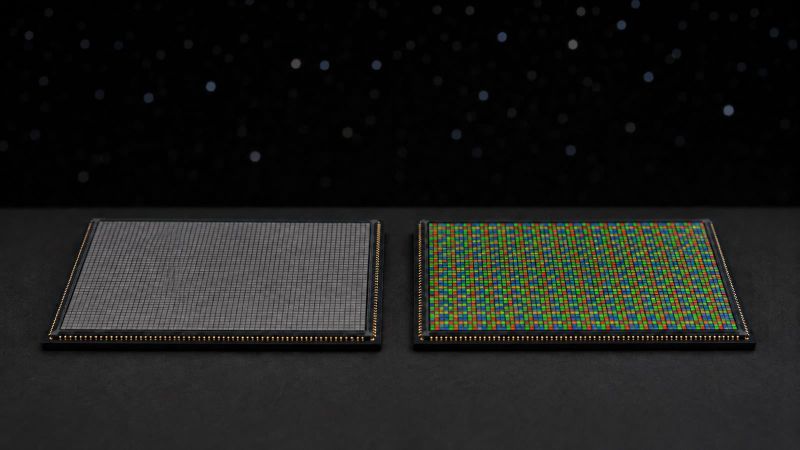
Not the way you might hope — and this trips up a lot of imagers. A one-shot-colour (OSC) camera has a Bayer matrix over the sensor, so any 2×2 block is not four identical pixels but one red, two green and one blue. Hardware-binning that block sums four different colour filters into one value, which scrambles the colour information entirely. That structural difference also decides how fast each sensor collects — we count it photon by photon in how much faster a mono camera actually is.
That is why true on-chip 2×2 binning on an OSC sensor either is unavailable or produces a mono-like, colour-broken result. The workable route on colour cameras is software binning after debayering — often called super-pixel or drizzle-style resampling — where the image is first reconstructed into full-colour pixels and only then downsampled. On mono cameras with filter wheels the problem disappears: each exposure is single-colour, so you can bin freely. If colour fidelity matters to you, treat "bin" on an OSC camera as a post-processing decision, never an in-camera one.
How to Bin in Practice
In capture software — NINA, SharpCap, the ASIAIR, or your camera's native driver — binning is a simple dropdown, usually offering 1×1, 2×2, 3×3 and 4×4. Two practical cautions:
- Know whether it sums or averages. Summing adds signal and can clip bright stars; averaging holds dynamic range but does not boost signal the CCD way. The mode is often buried in an advanced settings panel.
- Match your calibration frames. Darks, flats and bias frames must be shot at the same binning as your lights, or calibration will fail. Our calibration frames guide covers why the frame geometry has to line up exactly.
Because CMOS binning is just arithmetic, many of us now capture everything at 1×1 and bin later, during integration, in PixInsight or similar. The logic is one-way: you can always bin a 1×1 stack down later, but you can never un-bin a frame you captured binned. Binning in post also lets you decide the amount after you have seen the data and the seeing that night. The main reasons to bin in-camera on CMOS are practical, not image-quality: smaller files, faster downloads and quicker previews.
Common Binning Mistakes
- Assuming CMOS bins like a CCD. It doesn't — there is no on-chip read-noise miracle, only summing you could do yourself later.
- Binning an OSC camera in hardware. You will wreck the colour. Bin after debayering, or not at all.
- Binning an undersampled rig. If you are already at 3″/px with a small refractor, 2×2 binning throws away detail you were actually recording.
- Forgetting the calibration frames. Unbinned darks over binned lights is a guaranteed processing headache.
- Binning to "fix" a noisy single sub. Stacking more exposures beats binning for noise, and keeps your resolution. Reach for binning to correct oversampling, not to paper over short integration time.
Frequently Asked Questions
Does camera binning increase resolution?
No. Binning decreases spatial resolution — it produces fewer, larger pixels and a coarser pixel scale. What it increases is the signal-to-noise ratio of each pixel. If you need more resolution, you need a longer focal length or better seeing, not binning.
Is 2×2 binning worth it on a CMOS camera?
For image quality, rarely — CMOS binning is just summing you can do in post, and modern read noise is so low the benefit is small. It is worth it for practical reasons (faster, brighter previews and framing) and for genuinely oversampled setups. Otherwise, capture at 1×1 and bin during processing if you want to.
Does binning reduce noise?
It improves the signal-to-noise ratio rather than removing noise outright. On a CCD it does so by adding read noise only once per superpixel; on CMOS it pools signal while read noise adds in quadrature, so the ratio still improves, just less dramatically.
What does 2×2 binning do to pixel scale and field of view?
It doubles your pixel scale (arcseconds per pixel) and quarters the pixel count, so files shrink to about a quarter of their size. Your field of view is unchanged — you cover the same sky with fewer, larger pixels.
Should I bin my darks and flats too?
Yes. Every calibration frame — darks, flats and bias — must be captured at the same binning as your light frames, or the calibration will not register correctly against your data.
The Bottom Line
Camera binning is a resolution-for-signal trade, and the right call comes down to three questions: are you oversampled, what sensor are you running, and can you just bin later instead? On a legacy CCD, on-chip 2×2 binning is a real read-noise weapon for faint targets. On the CMOS cameras almost all of us use today, binning is mostly arithmetic — reach for it to tame an oversampled rig or to speed up previews, framing and guiding, and otherwise shoot at 1×1 and keep your options open in post. Match your sampling to the seeing first, and let binning do the rest.
Ready to put numbers to your own setup? Work out your native sampling with our pixel scale guide, then decide whether a 2×2 bin lands you closer to that 1–2″/px sweet spot.







%20binning%2C%20when%202%C3%972%20actually%20helps%2C%20and%20why%20modern%20CMOS%20often%20bins%20in%20post.%20https%3A%2F%2Fstellarnomads.com%2Fcamera-binning%2F%20Image%3A%20https%3A%2F%2Fstorage.ghost.io%2Fc%2Fbf%2F0d%2Fbf0d5d59-0433-4995-b3fa-4f41b743ef1b%2Fcontent%2Fimages%2F2026%2F07%2Fcamera-binning-hero-1.jpg)